

Lifestyle
Best VPN for small business in 2026: 3 secure picks
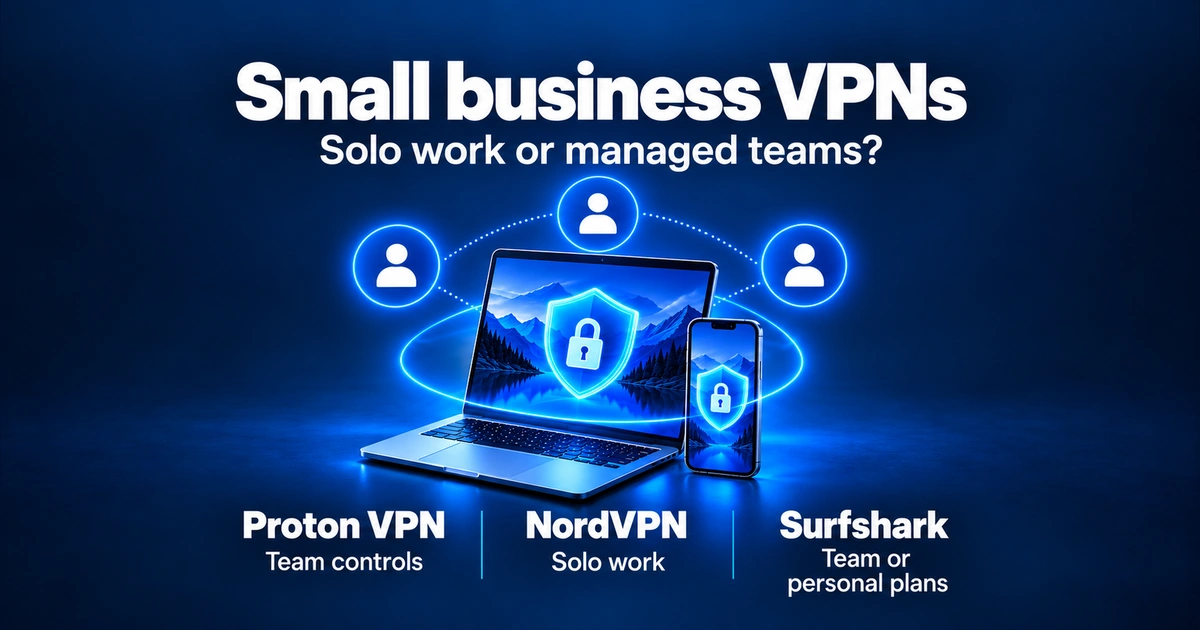
The best VPN for small business should protect remote work without creating an account-sharing mess. We compared documented account controls, Windows support, plan limits, and pricing conditions. Proton VPN for Business is the option to examine for managed access, NordVPN fits a solo owner, and Surfshark offers separate team and personal plans. Start with the number of people you need to manage, not the number of devices.
Top 3 picks

How we evaluated the best VPNs for small business
This guide does not rely on in-house testing. Not a VPNVertex hands-on test. It uses provider documentation checked on September 26, 2026. We compare the criteria that matter for a small business with remote or hybrid workers:
| Speed | No speed ranking is claimed here. Compare your actual work applications on your own connection; a provider’s server capacity is not a measured speed result for your office. |
| Stability | No Windows update or sleep/wake test was performed for this guide. Check the provider’s supported app and your organization’s configuration before a wider rollout. |
| Admin features | Individual accounts, user removal, single sign-on (SSO), and dedicated gateways are different from connecting several devices to a personal account. Verify the exact business plan. |
| Kill switch & leaks | Read the provider’s setup instructions. A kill switch blocks traffic if the VPN connection drops; its behavior depends on the app, operating system, and configuration. |
| Support | Support response time was not measured. Confirm the contact channels and onboarding help included in the plan; do not infer a service-level guarantee from marketing. |
| Pricing | Compare total initial payment, renewal terms, required licenses, taxes, and server add-ons. A monthly equivalent on an annual plan is not a month-to-month price. |
See our full research methodology for how we source and weigh evidence. These are three partner options, not a claim to have tested every business VPN.
1. Proton VPN for Business, for managed teams
Proton’s business range provides individual user management. Essentials and Professional have a two-user minimum. The current plan page lists an admin panel and organization-wide two-factor authentication (2FA) for both; Professional adds single sign-on (SSO), automatic account provisioning (SCIM), and dedicated gateways. [1, 3]
Who it is for. A company that needs to assign access to named staff and manage them separately. Choose the required controls before choosing the plan.
Pros
- Managed individual users
- Organization-wide 2FA on the current plan page
- Dedicated gateways on Professional
- SSO and SCIM on Professional
Cons
- At least two users
- Professional has server costs to include
- Business features depend on the plan
- Does not replace device security or staff training
What the documentation shows. Proton lists up to 10 simultaneous VPN connections per business user. Professional requires a leased dedicated server; the plan guide lists an additional $39.99 per server per month, before tax. Confirm that charge and the billing term in your quote. [2]
Pricing checked September 2026. Check the current quote for license prices, the billing term, taxes, and required server charges. Compare the full cost, not only a monthly equivalent. [1, 2]
Verdict. Examine Professional when you require dedicated gateways or SSO; examine Essentials for simpler user management. For personal use, Proton VPN Plus is a separate subscription with up to 10 simultaneous connections, not the business offer described above. [8]
2. NordVPN, for solo owners
NordVPN is a personal VPN option for a sole proprietor, freelancer, or consultant who wants to protect their own connections. It does not turn one login into separately managed employee accounts.
Who it is for. One person working across a laptop, phone, and other devices. If you need to add and remove staff or enforce company-wide access policies, compare a team product instead.
Pros
- Up to 10 simultaneous connections [5]
- Optional dedicated IP for a fixed address [6]
Cons
- Not a substitute for managed employee accounts
- Dedicated IP costs extra
- No speed or support-response ranking established here
What the documentation shows. NordVPN allows up to 10 connected devices per account. Its dedicated IP is an add-on and has a different purpose from a team administration dashboard. [5, 6]
Pricing. Promotional term lengths and renewal prices vary. Review the total charge and the dedicated-IP add-on cost before choosing. Do not compare a consumer checkout with a team quote as though they buy the same service.
Verdict. Consider NordVPN for your own work devices when central staff management is unnecessary. Read our NordVPN review for its consumer features and research limits.
3. Surfshark, team and personal options
Surfshark for Teams manages access to multiple accounts through an admin panel and requires at least five licenses. Its FAQ says dedicated IP and user-activity tracking are not included. [4]
Pros
- Separate team account management
- Five-license minimum is stated clearly
- Personal subscriptions available separately
Cons
- No dedicated IP in Teams [4]
- No user-activity tracking in Teams [4]
- Request a quote and verify renewal terms
- Unlimited personal devices are not employee seats
What the documentation shows. Do not transfer features from a personal Surfshark subscription into Teams by assumption. If a fixed address is essential, compare the actual team plan against that requirement. [4]
Pricing. Teams lists monthly equivalents with a one-year term; the amount varies by user count. Use the full quote, including renewal and tax terms, for your budget. [4]
Verdict. Consider Teams when you need account administration for five or more users without the dedicated-IP requirement. For one person, Surfshark’s personal subscription allows unlimited simultaneous devices under its usage rules. It is not a reason to share one employee login across a company. [7]
Best VPN for small business comparison
| Feature | Proton VPN for Business | NordVPN personal | Surfshark |
|---|---|---|---|
| Best for | Managed users; Professional for gateway controls | A solo owner’s devices | Teams for staff; personal for solo use |
| Minimum users | 2 for Essentials or Professional [1] | Personal account; no team seats | 5 licenses for Teams [4] |
| Team admin panel | Yes [1] | Not a team product | Yes, for Teams [4] |
| SSO support | Professional [1] | Not a team SSO service | Not established in the sources checked |
| Dedicated IP | Professional with leased server [2, 3] | Optional paid add-on [6] | Not included in Teams [4] |
| Device allowance | Up to 10 per business user [2] | Up to 10 per account [5] | Personal: unlimited; verify Teams quote [7] |
| Windows support | Supported apps [1] | Windows app offered [6] | Windows listed for Teams [4] |
| User removal | Individual user management [1] | No staff provisioning workflow | Account access managed in Teams [4] |
| Measured speed | Not tested by VPNVertex | Not tested by VPNVertex | Not tested by VPNVertex |
| Cost to compare | Licenses plus required servers | Term total, renewal, optional add-on | User-count quote; term and renewal |

How to choose the best VPN for small business
Five questions to ask yourself before you commit:
| Team size | How many people will use it? Solo: a personal VPN may be enough. For staff, identify who needs a separate account. Proton’s two-user minimum and Surfshark Teams’ five-license minimum matter for the budget. [1, 4] |
| Compliance | Do you handle client data subject to compliance? A VPN alone does not make a business compliant. If contracts or regulations require access controls, document your requirements first, then verify that the chosen plan and configuration support them. Your business remains responsible for implementation. |
| Static IP | Do you need a static IP for allowlisting? Verify whether the service you use accepts VPN IPs. Proton Professional has dedicated-server options; NordVPN sells a personal add-on. Surfshark Teams does not include dedicated IP. [3, 4, 6] These are different configurations, not interchangeable team plans. |
| Public Wi-Fi | Will employees connect from public Wi-Fi often? A VPN protects traffic between a device and its VPN server. It does not replace updates, secure sign-in, device protection, or staff training. Confirm the app’s reconnect and kill-switch behavior for your configuration. |
| Total cost | What is your real budget over 24 months? Compare the full initial term, renewal price, required licenses, and any dedicated server or IP add-ons. Count people separately from devices. |
Owners who operate from the road should also review the best VPNs for RV and van life, where mobile hotspots and unstable campground Wi-Fi change the priorities.
Sources
Primary documentation checked September 26, 2026. This guide reports product features and requirements; it does not claim a VPNVertex speed test, deployment test, or support-response measurement.
- [1] Proton for Business — VPN pricing and current plan comparison. Checked September 26, 2026.
- [2] Proton Support — Proton VPN business plans explained. Checked September 26, 2026.
- [3] Proton Support — Dedicated IP addresses for business users. Checked September 26, 2026.
- [4] Surfshark — VPN for Teams, plan requirements and FAQ. Checked September 26, 2026.
- [5] NordVPN Support — How many devices can I use with NordVPN?. Checked September 26, 2026.
- [6] NordVPN — Dedicated IP features and add-on. Checked September 26, 2026.
- [7] Surfshark Support — How many devices can I use with Surfshark simultaneously?. Checked September 26, 2026.
- [8] Proton VPN — Multi-platform support and Plus device allowance. Checked September 26, 2026.
- [9] Proton VPN — Free VPN, funding and plan limits. Checked September 26, 2026.
- [10] Microsoft Support — Connect to a VPN in Windows. Checked September 26, 2026.
- [11] NIST — Cybersecurity Basics. Checked September 26, 2026.
FAQ
Final verdict
Start with your access requirements.
For managed users, compare Proton VPN for Business with Surfshark Teams. If you need dedicated gateways or SSO, examine Proton Professional; if you need multiple account management without dedicated IP, examine the Teams quote. Neither choice is a universal winner for every small business. For one person, NordVPN for your own work devices is a personal option, alongside Surfshark personal and Proton VPN Plus. Choose based on your connections, budget, and required features. The existing VPN guide for RV and van life covers the related case of working from mobile hotspots. Use a personal offer only for the personal product described here.
Published: April 29, 2026 · Facts checked: September 26, 2026 · Author: Simon Phillips